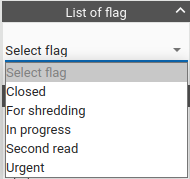
Ability to set a flag for a study – it is now possible to set status for each study – e.g. “for second reading”, “closed”, etc. Each study can have more of these labels assigned to it and they then can be easily filtered and searched through
Support for printing from Windows applications directly to PACS – the new tool allows user to select printing to a virtual PDF printer in any specialized application on the Windows operating system and automatically transfer this created PDF to PACS among other patient image documentation
New browser extension – the new extension allows, in addition to the original options for automatic placement of windows on other monitors, to determine the status of RAM usage and optimize the loading of images in the browser, while also offering support for printing of PDF to PACS as described in the previous point. The free extension can be found in the Chrome Store
Configuration of displaying OSD labels – for individual labels it is possible to change colors and font size, thus allowing the user to display important information more distinctively to speed up orientation
Change of the mouse cursor according to selected tool – user can now easily tell which tool is being used by changing the mouse cursor
Separate automatic synchronization in different view planes – the browser has so far allowed synchronization in only one view so if the user viewed for example 4 series, two in the transverse plane and two in the frontal one, automatic synchronization always worked in only one of the pairs of series. Individual planes are now synchronized separately
Convenient browsing of Hanging Protocol phases – newly defined keyboard shortcuts allow user to scroll through the individual views defined in Hanging Protocol
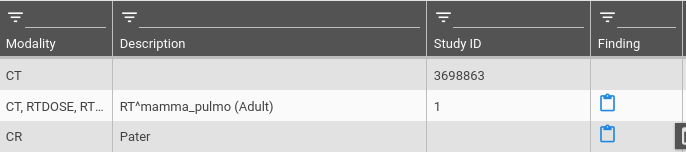
Display of the finding on the clinical monitor – it is possible to display the finding for examinations outside the diagnostic monitor and if the appropriate service is configured, it is possible to display a symptom for those who have the finding created directly in the list of studies