Security

CVE-2025-66168

Overview

This advisory addresses a known security vulnerability identified in a third-party dependency used within DPGW.

Vulnerability Details

  • CVE ID: CVE-2025-66168
  • Dependency Name: activemq-client
  • Affected Version of Dependency: <=6.1.8
  • Severity Score: NIST 8.8 High, CNA 5.4 Medium

Affected Versions of DPGW

  • 1.13.13-REL – 1.13.16-REL

Risk Assessment & Applicability

Usage
DPGW utilizes the ActiveMQ as a message broker for Topics and Queues.

Analysis
Activemq-client is not vulnerable by itself, vulnerability lies inside the broker. In all of our deployments broker is accessible only from the localhost, so the area of the attack possibility is very limited.

Status
Affected

Severity Score in the context of DPGW: 6.1 Medium CVSS:4.0/AV:A/AC:L/AT:N/PR:L/UI:N/VC:L/VI:L/VA:L/SC:H/SI:H/SA:L/MAV:L/MPR:H

Impact on DPGW

If an attacker were to successfully exploit this vulnerability in the context of our software, the potential impact would be: unexpected behavior of message broker which might lead to unavailability of our product.

Remediation & Mitigations

Scheduled fix
We scheduled release of the version 1.13.17-REL which should address this issue. Release will be at the half of March 2026.

User Actions
Users can mitigate this vulnerability by checking if they check that broker is not accessible from other then localhost loopback.

Security

CVE-2025-53644

Overview

This advisory addresses a known security vulnerability identified in a third-party dependency used within DPGW.
Vulnerability Details

  • CVE ID: CVE-2025-53644
  • Dependency Name: dcm4che-imageio-opencv
  • Affected Version of Dependency: <=5.34.2
  • Severity Score: 6.6 Medium

Affected Versions of DPGW

  • 1.13.13-REL – 1.13.14-REL
  • <=1.12.37-REL

Risk Assessment & Applicability

Usage
DPGW utilizes the dcm4che-imageio-opencv specifically for transcoding DICOM images in compressed formats like JPEG2000, JPEG-LS, etc.

Analysis
dcm4che-imageio-opencv is not directly vunerable, vunerability is transitive as it depends on OpenCV library. Attackers can only exploit this vulnerability if they can store a malicious DICOM image in the running PACS system and if DicomImageReader.properties are set to use OpenCV to decode JPEGs.

Status
Affected

Impact on DPGW

If an attacker were to successfully exploit this vulnerability in the context of our software, the potential impact would be: temporary denial of service for users as it might cause the application to crash.

Remediation & Mitigations

Fix
Update DPGW to:
1.13.15-REL (released on 2026-02-23) or newer
1.12.38-REL (released on 2026-02-23) or newer

User Actions
Users can mitigate this vulnerability by reconfiguring conf/DicomImageReader.properties file to disable the use of OpenCV and use ImageIO instead.

Security

CVE-2026-1225

Overview

This advisory addresses a known security vulnerability identified in a third-party dependency used within DPGW.

Vulnerability Details

  • CVE ID: CVE-2026-1225
  • Dependency Name: logback-core
  • Affected Version of Dependency: <=1.5.24
  • Severity Score: 1.8 Low

Affected Versions of DPGW

  • 1.13.13-REL – 1.13.14-REL
  • <=1.12.37-REL

Risk Assessment & Applicability

Usage
DPGW utilizes the logback specifically for writing, rotating and managing log files.

Analysis
Logback.xml in our implementation is only reachable by system administrator that already has full access to the system.
We do not support access to the logback.xml file by any other means. Permissions on the logback.xml file are set to 644.

Status
Not Affected

Remediation & Mitigations

Planned Fix
We are scheduled to update this dependency in the 1.13.15-REL and 1.12.38-REL.

User Actions
No action required by users at this time

Security

CVE-2026-2441

https://thehackernews.com/2026/02/new-chrome-zero-day-cve-2026-2441-under.html

Google on Friday released security updates for its Chrome browser to address a security flaw that it said has been exploited in the wild.
The high-severity vulnerability, tracked as CVE-2026-2441 (CVSS score: 8.8), has been described as a use-after-free bug in CSS. Security researcher Shaheen Fazim has been credited with discovering and reporting the shortcoming on February 11, 2026.
“Use after free in CSS in Google Chrome prior to 145.0.7632.75 allowed a remote attacker to execute arbitrary code inside a sandbox via a crafted HTML page,” according to a description of the flaw in the NIST’s National Vulnerability Database (NVD).
Google did not disclose any details about how the vulnerability is being exploited in the wild, by whom, or who may have been targeted, but it acknowledged that “an exploit for CVE-2026-2441 exists in the wild.”

New versions

DPGW 1.13

Significant changes in this version

This new version brings a significant acceleration of work in the DICOM viewer environment, with up to a 4x increase in the speed of loading larger images into the viewer cache and faster retrieval of data from the server to the workstation. The speed has also been increased when using Hanging protocols, where their evaluation and application to studies has been optimized, so you can expect up to a 10x increase in the speed of displaying studies with the Hanging protocol applied compared to the previous version, with the addition of supported Hanging protocol functions.

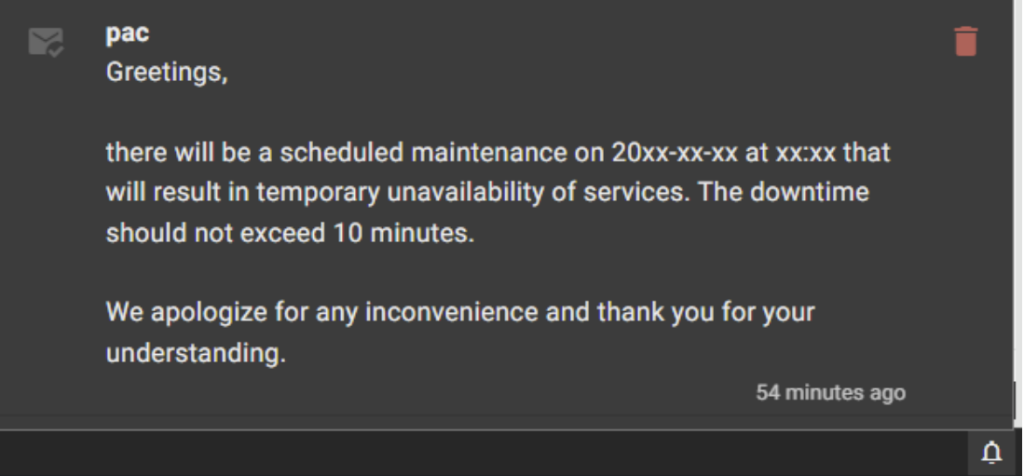
  • User notifications – In this version, a complex notification system has been implemented. After logging into the system, you will see important messages sent by the PACS administrator, and you will also be able to view and manage them by clicking on the “Bell” icon in the lower right corner of the system.
  • New or modified measuring instruments:
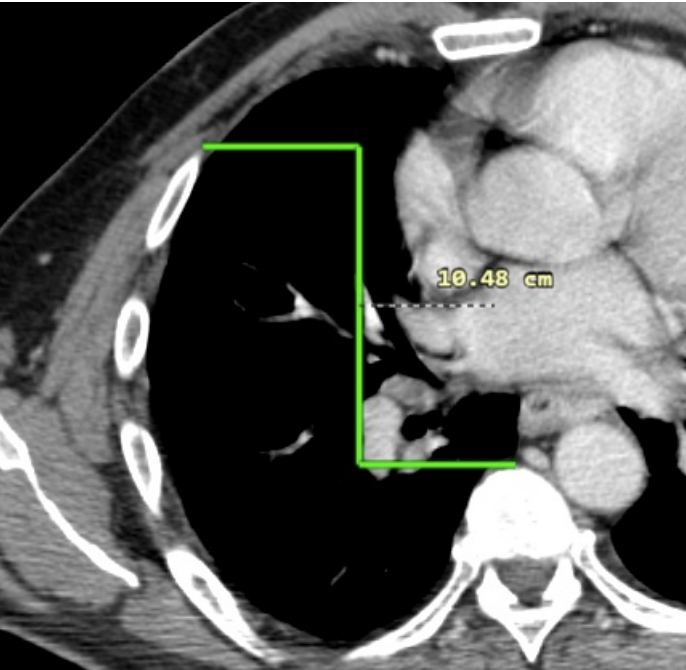
  1. Height differences – Measuring the length of the height difference between two selected points.
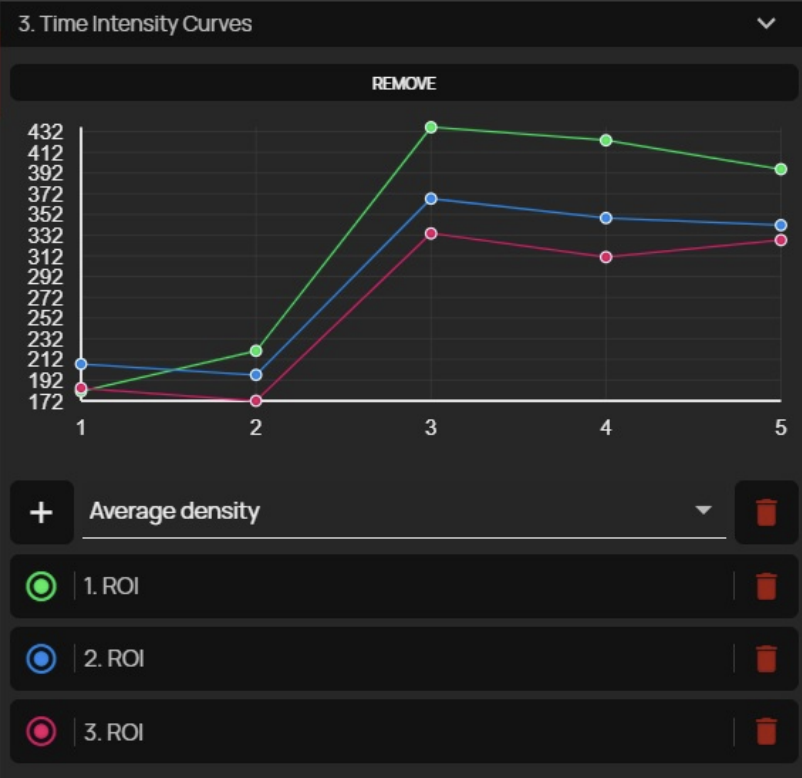
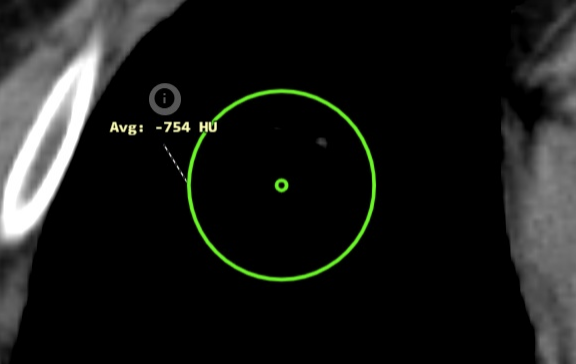
  1. Time Intensity Curves (TIC) – Option to create perfusion curves based on ROI density in individual time series of the study. This feature can be used, for example, in dynamic MRI sequences where it is necessary to compare ROI density at a specific location in individual time intervals.
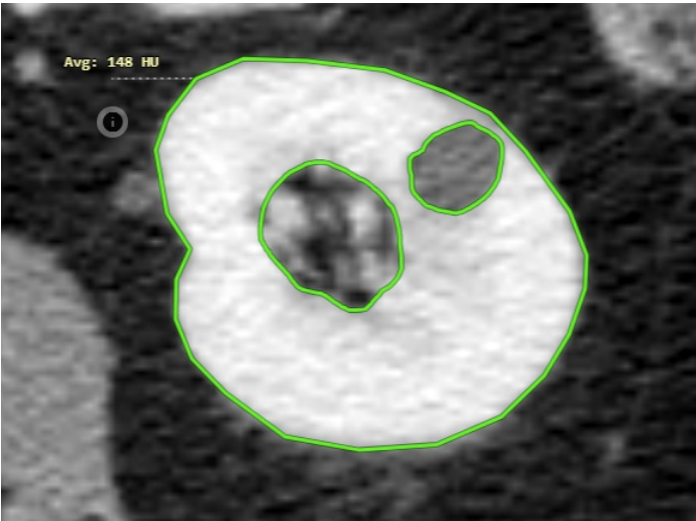
  1. Group area measurements – This tool is used to subtract two or more areas from each other, making it possible to draw measurements of areas with cutouts in that area.
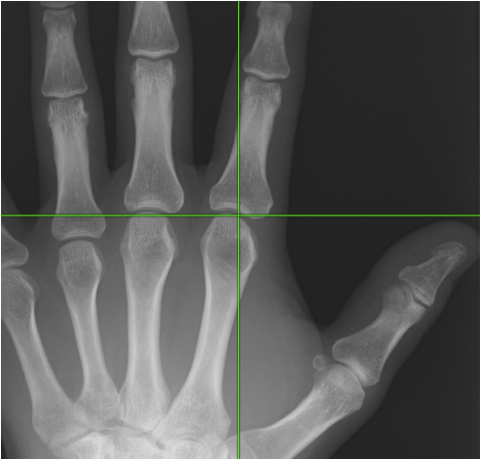
  1. XY axis – Option to insert horizontal or vertical axes into the image
  1. Using the CTRL modifier in distance measurement – If you press and hold the Ctrl key while measuring, the measurement will be taken along the XY axis, i.e. vertically or horizontally, depending on the direction of the measurement.
  1. Ellipse center – This version adds the option to display the center point when measuring the ROI of an ellipse to the “Display tools working set”.
    TIP: If you hold the Ctrl key while measuring ROI (Ellipse, Rectangle), the ROI will be created from the center of the selected area. If you hold the Shift key, the ROI will be created symmetrically. These keyboard shortcuts can be combined.
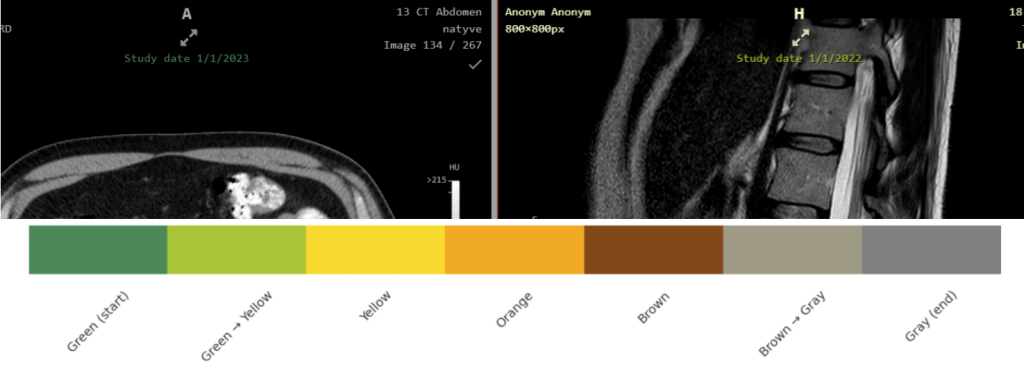
  • Colored OSD labels according to study date – In the “Profile editor” tool, it is now possible to select the “Historically colored DICOM tag value” function. OSD labels can therefore be colored according to the DICOM tag value they contain, from lowest to highest, allowing two historical images to be differentiated when comparing them.
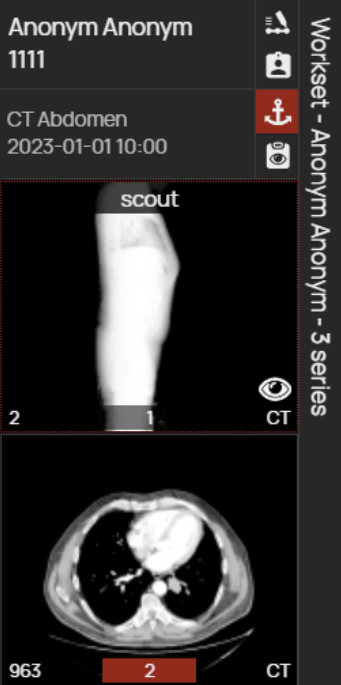
  • Group series – This tool allows you to merge series of images in the viewer’s workset for better orientation. After dragging the merged series into the “Image data display window”, you can smoothly scroll through the merged series and view them all like a single serie of images. Warning: This is a virtual merging of series, which is only available for the current session. If you want to merge series directly in PACS, use the Search dialog tools in the “Archives” tab.
  • Continue previous work after scheduled monitor validation – If you are requested to perform scheduled monitor validation in Dicompass, the viewer state will be saved and restored after validation, allowing you to continue without interruption.
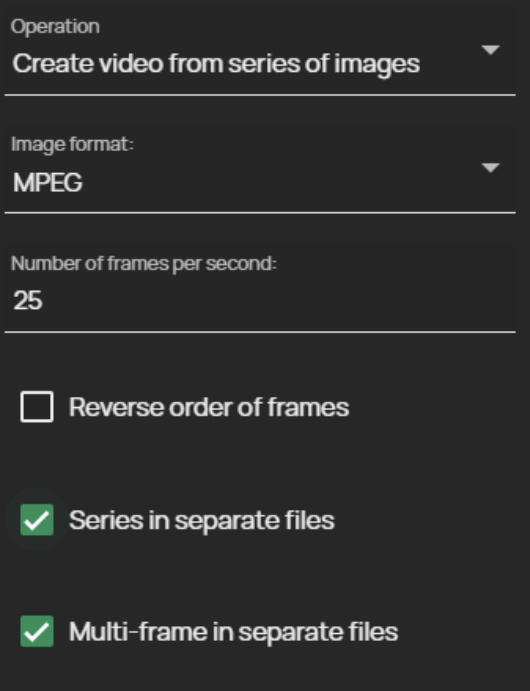
  • Support for multiple series exports to individual videos:
    • Series in separate files – checking this box will split exported series into individual video files
    • Multi-frame in separate files – checking this box will split exported multiframe images into individual video files
  • Working lists” features:
    • PATIENT / STUDY – Image documentation added to the working list can now be switched at the study/patient level using the built-in menu.
    • Notification of sharing – If you shared the created working list with the selected user, they will be informed about this via a new notification system, which is now built into this version.

Release information

  • DPGW 1.13.13-REL (14. January 2026)
  • DPGW 1.13.14-REL (6. February 2026)
New versions

DPGW 1.12

Significant changes in this version

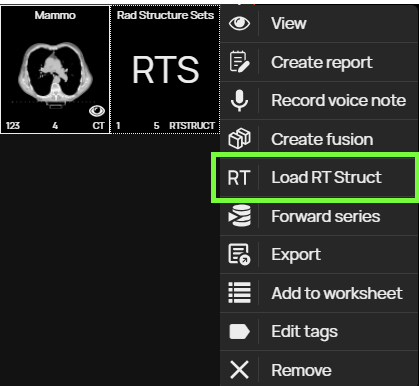
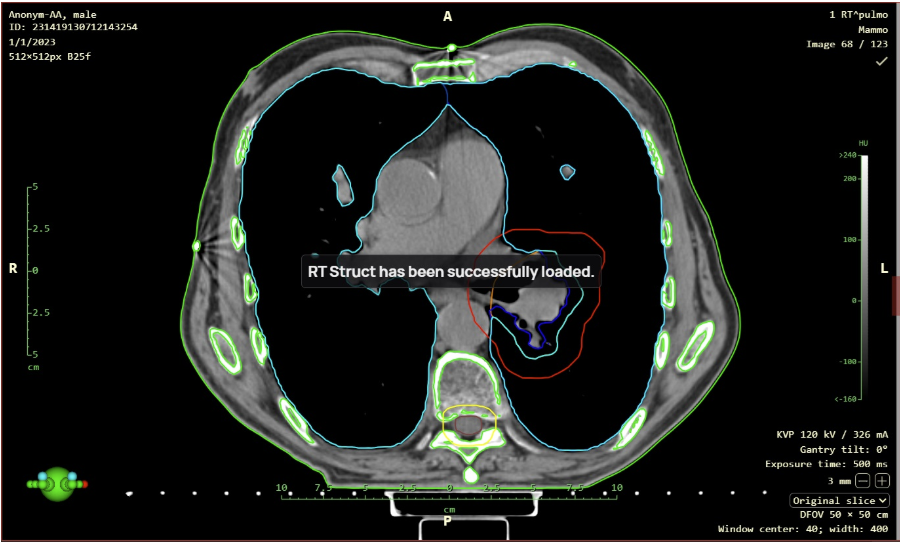
  • Support for RTSTRUCT display with the “Load RT Struct” function, it is now possible to display Radiotherapy Structure (RTS) modality data, for example, a radiotherapy plan over a series of CT modality images. This function is called up by right-clicking on the RTS data displayed in the working set of images to bring up the context menu and then selecting the “Load RT Struct” action.
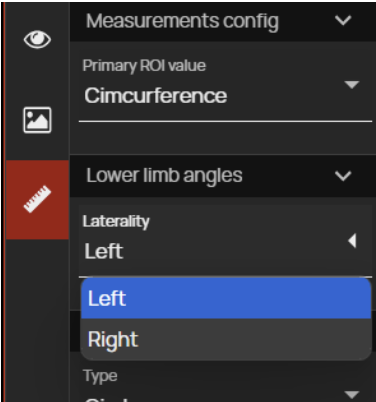
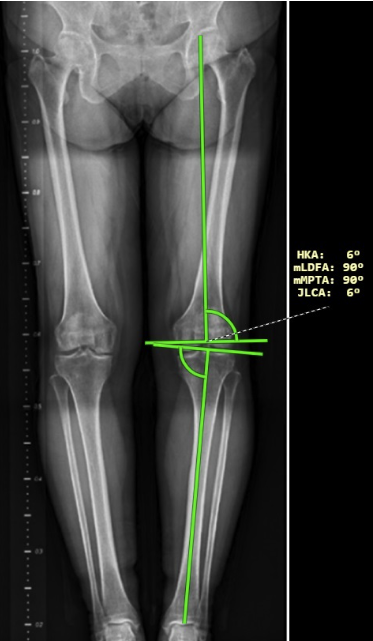
  • Lower limb angle measurements have been modified in this version of the DICOM viewer and now also show laterality angles. The laterality of the angles can be determined using the right sidebar in the “Measurement toolset”, drop-down menu ‘Laterality’ in the “Lower limb angles” tab. After measuring the lower limb angles, the following angles are displayed:
    • HKA – hip-knee-ankle angle
    • mLDFA – mechanical lateral distal femoral angle
    • mPTA – medial proximal tibial angle
    • JLCA – joint line convergence angle
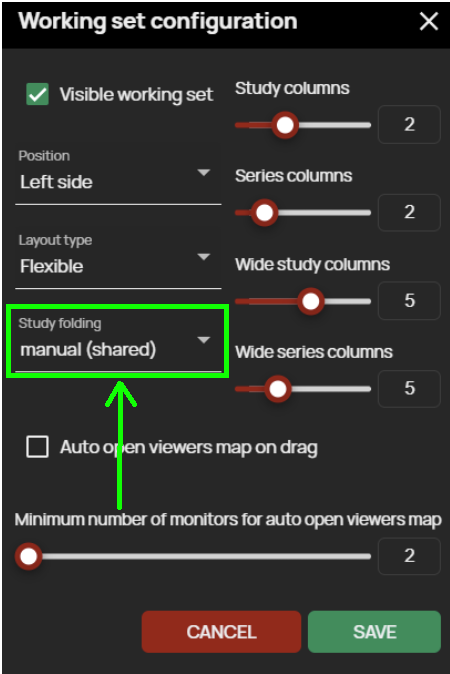
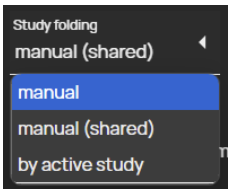
  • Automatic study folding is used to automatically fold multiple open studies in the “Viewer working set” in one window. The method of automatic folding of the studies can be selected using the menu that is called up by clicking on the “ Study folding ” field in the “ Working set configuration ”. Possible ways of folding studies:
    • Manual – unpacking/packing of the study in the “ Viewer working set” is possible only by selecting the action “ Expand/collapse” from the “Floating panel of the viewer working set” or from the optional field for adding an action located to the right of the study information in the “ Viewer working set”
    • Manual (shared) – this setting is similar to the previous “Manual” setting, but in the case of a multi-monitor station, unpacking/packing will be applied to all “Viewer working sets” of all monitors
    • By active study – only the study that is displayed in the “Image Data Display Window” will be expanded and all others will be automatically collapsed
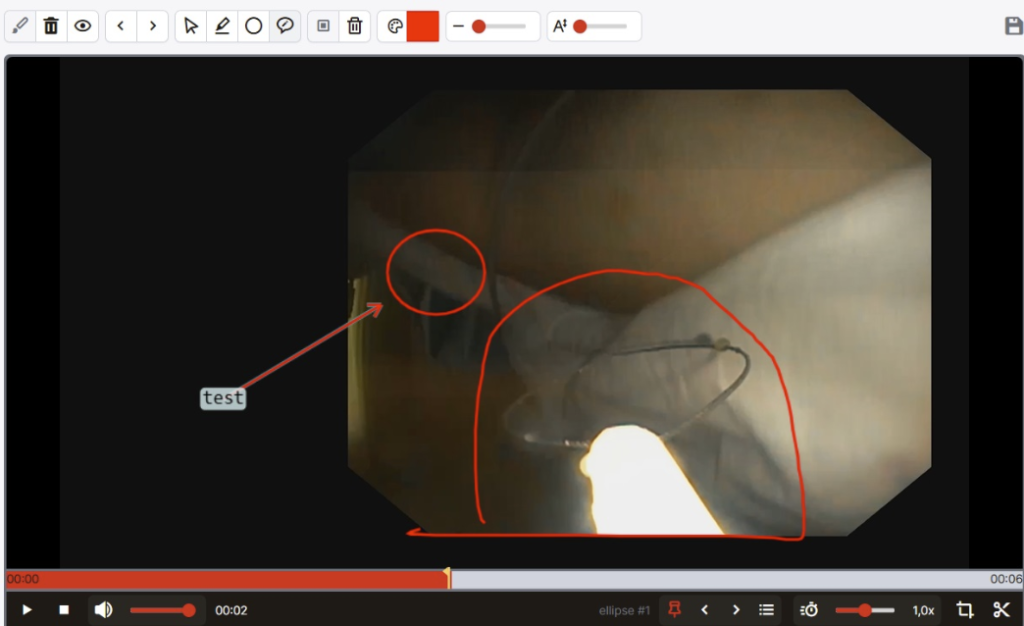
  • Electronic pencil this digitizing tool is used to draw objects into the edited image or video, namely a free drawing, ellipse or arrow with a note.
  • Support for HP rotation in case of multiple Hanging Protocols set up, e.g. commonly for mammography images, it is now possible to loop through the preset HPs within an HP group without switching to the next HP group, or to loop through HP groups using the “HP loop/HP stage loop” tool or keyboard shortcut. This function can be found in the right sidebar of the “Display toolset”.
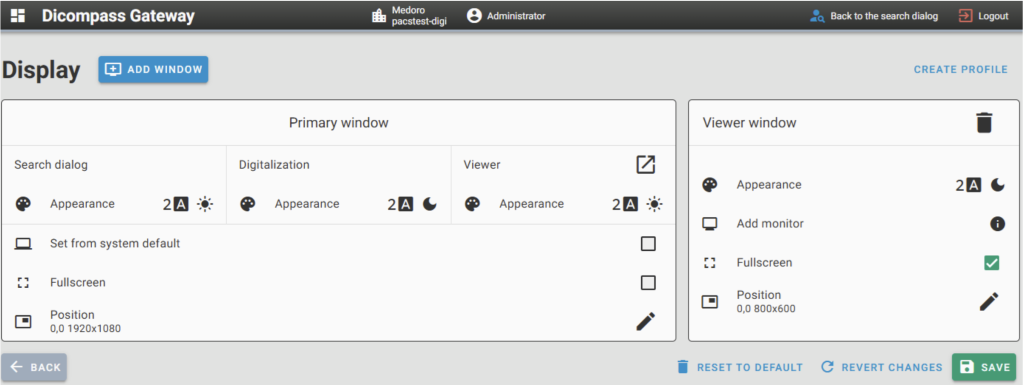
  • New configuration dialog for setting up monitors In this version of the product, the configuration tool for customizing the system UI view and managing connected monitors has been modified.

Release information

  • DPGW 1.12.09-REL (12. May 2025)
New versions

DPGW 1.11

Significant changes in this version

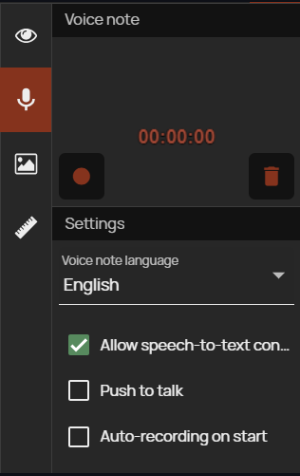
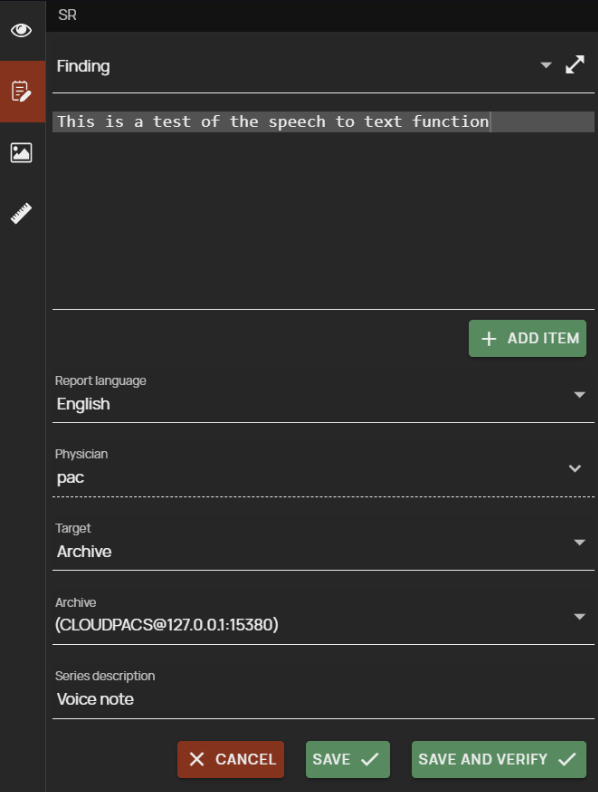
  • Support for speech-to-text conversion using the “Voice note” function, which is used to record and archive an audio track, e.g. a spoken note for a selected study. By enabling the option to trigger the conversion to text, once the voice note is saved, the text will be generated and inserted into the structured report finding in the “Create SR” function.
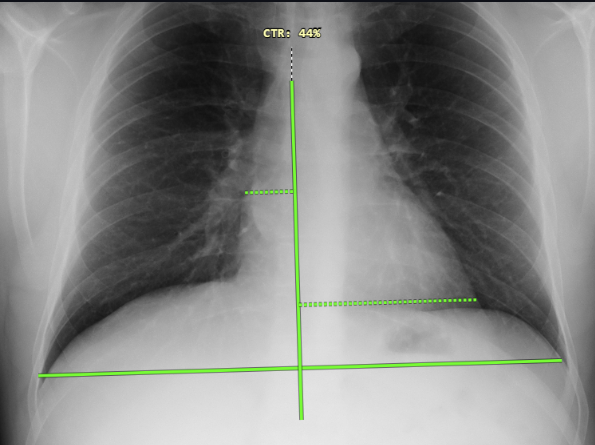
  • Cardiothoracic index measurement (CTR) this newly added tool is used to measure the ratio of the maximum width of the cardiac shadow to the maximum internal chest width in a percentage ratio calculation.
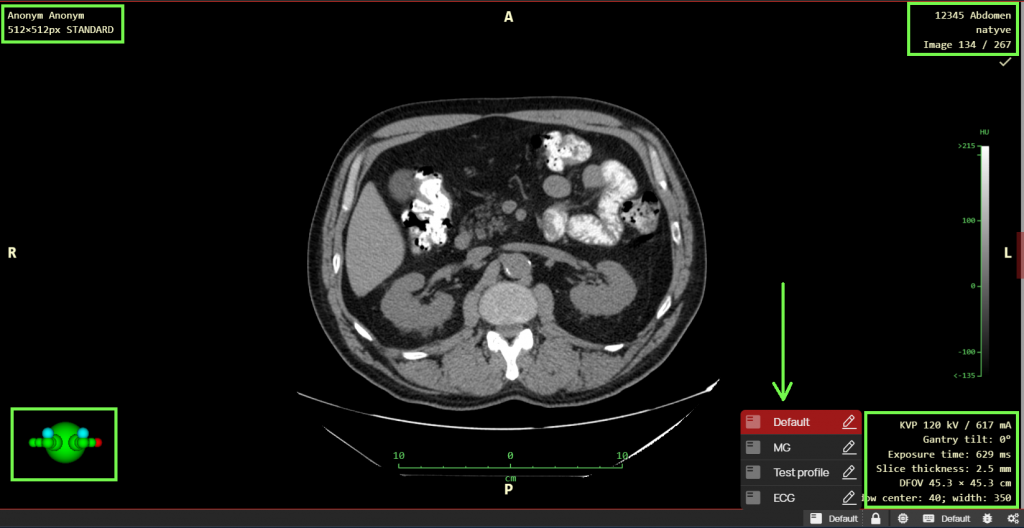
  • Automatic OSD profile layout is used for automatic switching between different profiles of OSD labels (On Screen Display), i.e. image information, if they are configured and assigned to different modality types (DX, CR, CT, MR…). These profiles can be configured using the “Profile editor” function. When the function is activated, the OSD profile will be automatically selected according to the displayed examination and the modality with which the examination was performed.
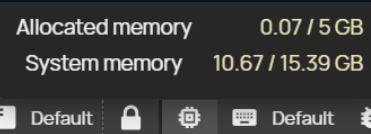
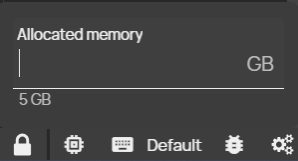
  • The allocated memory indicator on the status bar is used to display the used memory of the viewer and to adjust its size. Each open study in this DICOM viewer needs a certain amount of RAM memory of the PC station you are working on and this function serves both as an informative purpose for displaying the used memory and the possibility of setting and allocating additional memory for working with image documentation.
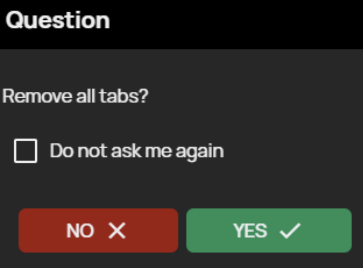
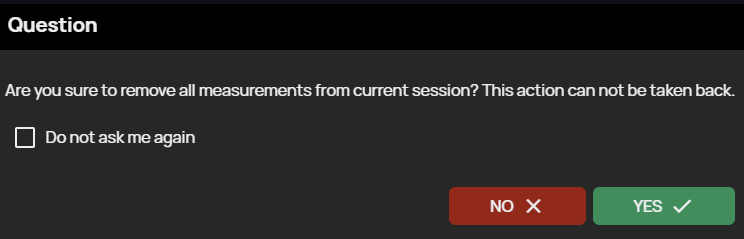
  • Ability to delete measurements and close bookmarks without confirmation by adding a “Do not ask me again” option to the “Close all bookmarks” and “Delete all objects from current session” confirmation windows. By checking this option, you will not be asked to confirm closing all bookmarks or deleting all measurements next time.
  • Modify the “Track Study Changes” function to display a notification of a changed number of images in the displayed study and the ability to reload a series of images with an updated number of images. In case you have an incomplete series displayed in the “Image Data Display Window” and additional images will be added to this series, you will be notified by a flashing “Track Study Changes” tool icon, when you click on this tool icon the series will be reloaded with the current number of images. After the series of images have been reloaded, all measurements and image postprocessing will be removed.

Release information

  • DPGW 1.11.02-REL (17. October 2024)
  • DPGW 1.11.03-REL (22. October 2024)
  • DPGW 1.11.04-REL (30. October 2024)
New versions

DPGW 1.10

Significant changes in this version

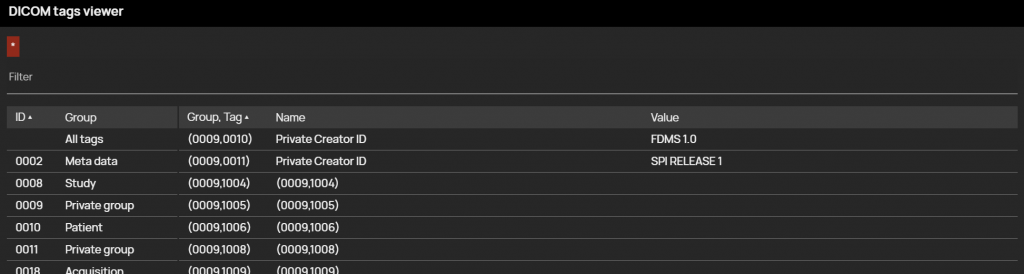
  • DICOM tag viewer displaying private tags, i.e. tags that are assigned to studies by the modality manufacturer and cannot be placed as a standard DICOM tags
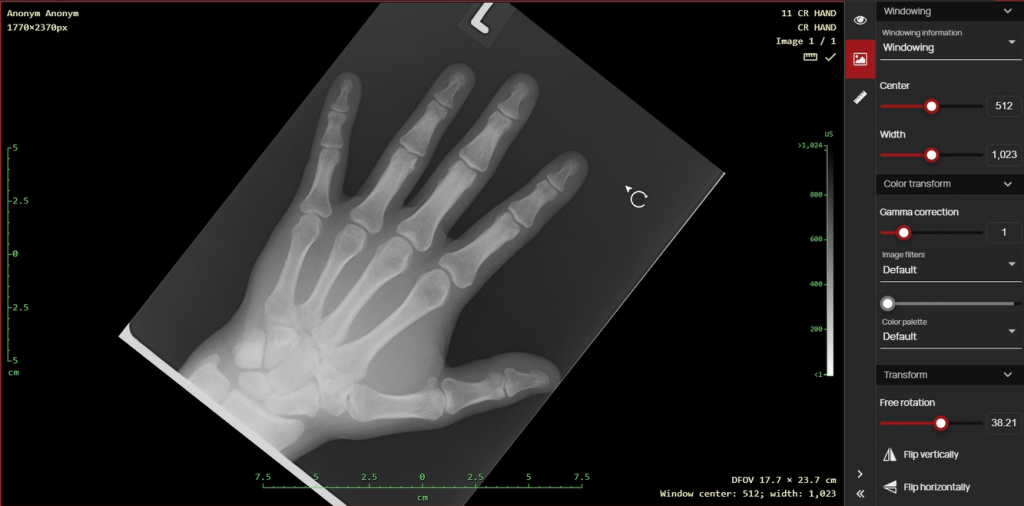
  • The “Free rotation” tool is now more user-friendly, thanks to its ability to manipulate the displayed image directly in the viewer by dragging with the mouse. Rotation of the image is also kept in the Postprocessing toolset of the right sidebar using the slider, or by entering values in the text field
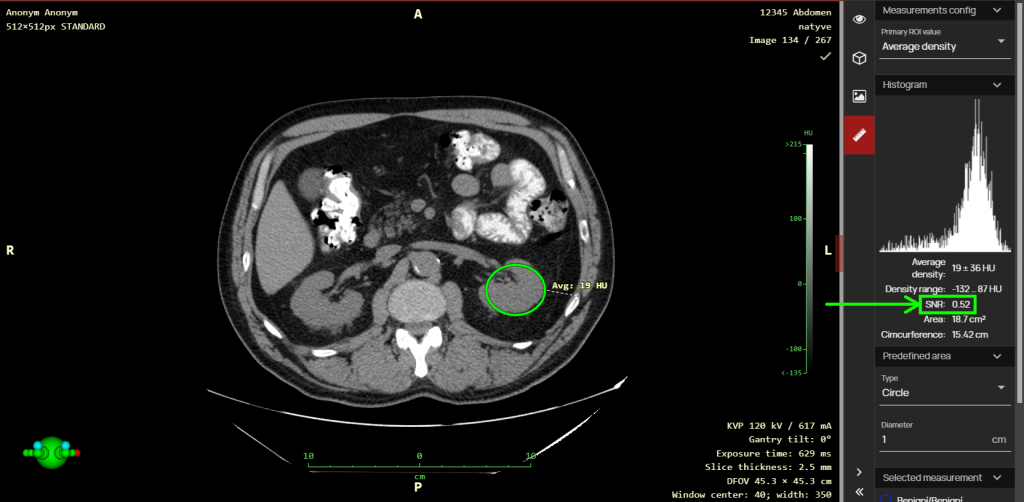
  • The Signal-to-Noise Ratio (SNR) value has been added to the ROI measurement and can be displayed in the histogram of the area measurement
  • The image viewer on burned CDs from the Dicompass Gateway is now displayed in a new graphical interface corresponding to the current version of the DICOM viewer

Release information

  • DPGW 1.10.02-REL (30. July 2024)
  • DPGW 1.10.03-REL (7. August 2024)
  • DPGW 1.10.04-REL (8. August 2024)
  • DPGW 1.10.05-REL (19. August 2024)
  • DPGW 1.10.06-REL (22. August 2024)
  • DPGW 1.10.07-REL (28. August 2024)
  • DPGW 1.10.08-REL (3. September 2024)
  • DPGW 1.10.09-REL (5. September 2024)
  • DPGW 1.10.10-REL (5. September 2024)
  • DPGW 1.10.11-REL (5. September 2024)
  • DPGW 1.10.12-REL (6. September 2024)
New versions

DPGW 1.9

Videoconference

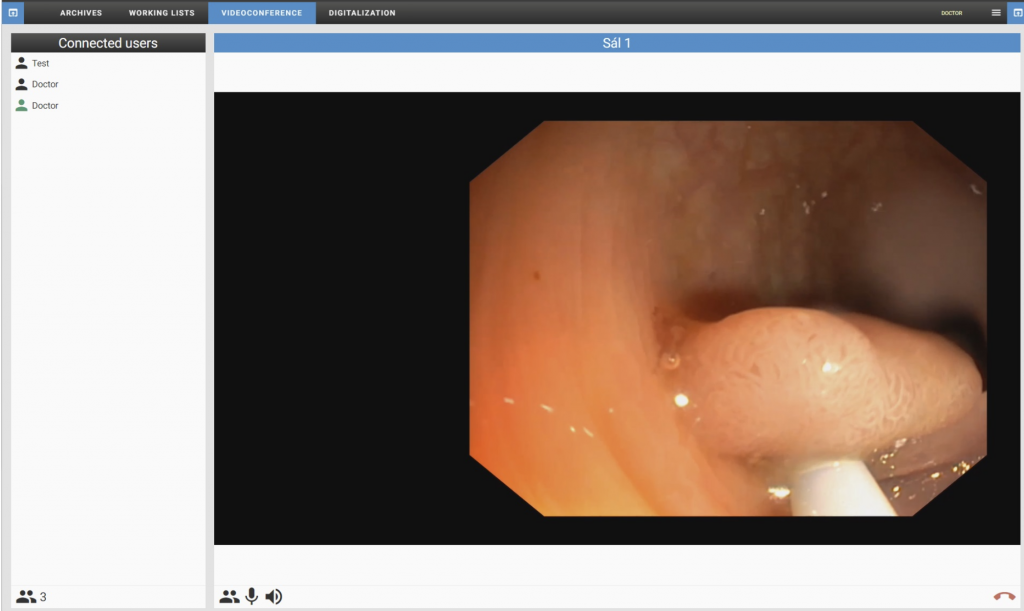
The new version brings the option of extending DPGW with the “Videoconferencing” tool, which is used for real-time sharing of video and audio via a videoconference call with support for multiple call participants. Videoconferencing calls can be established via the internal network of the healthcare facility and therefore do not require an internet connection. External users can also be connected to the videoconference call, similar to other services such as Meets, Teams, Zoom, etc.

Videomanagement

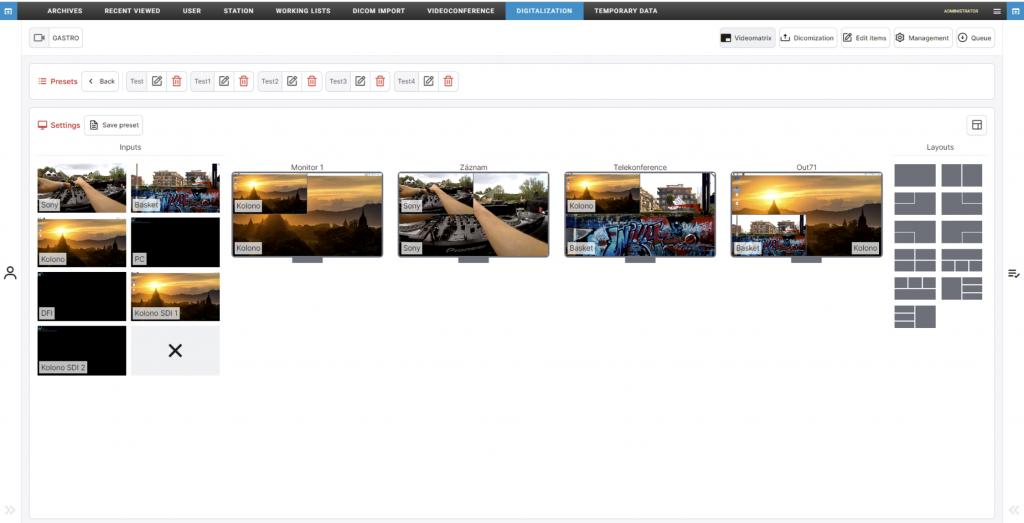
This version of DPGW adds the possibility to manage video input signals to individual display monitors using the “Videomatrix” tool. This tool provides easy switching and compositing of matrixes from different video sources (laparoscope, PC, microscope, operating light, etc.) to any monitor.

Significant changes in this version

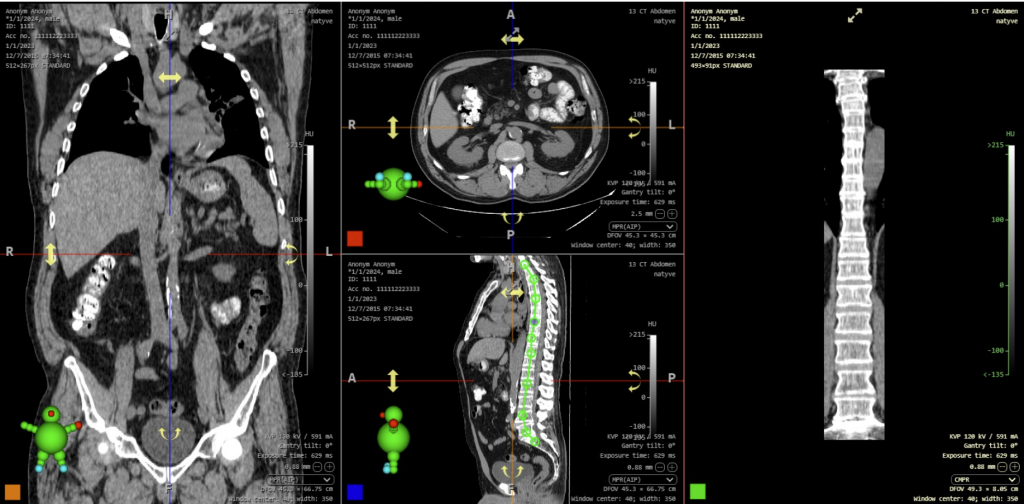
  • CMPR (Curved Multiplanar Reconstruction) and associated tools are used to create and display a curved surface created from the volume of the selected series, allowing the user to display, for example, the stretched path of a blood vessel, spine, etc.
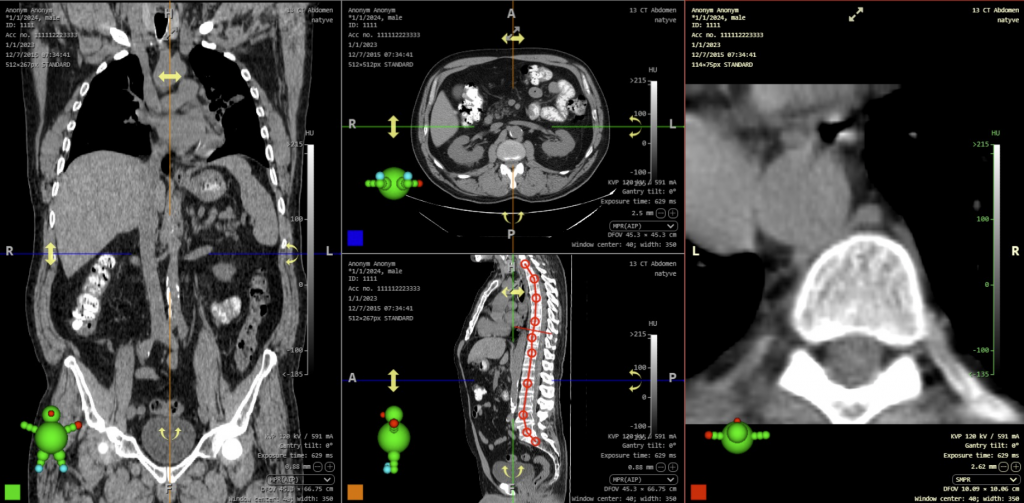
  • SMPR (Straightened Multiplanar Reconstruction) and associated tools allow you to create and display straightened projections according to the curve you have created. This reconstruction always displays a perpendicular plane to the created curve axis and thus simplifies e.g. MR imaging of intervertebral discs.

Release information

  • DPGW 1.9.31-REL (23. April 2024)
  • DPGW 1.9.36-REL (9. May 2024)
  • DPGW 1.9.37-REL (22. May 2024)
  • DPGW 1.9.38-REL (23. May 2024)
New versions

DPGW 1.8

Significant changes in this version

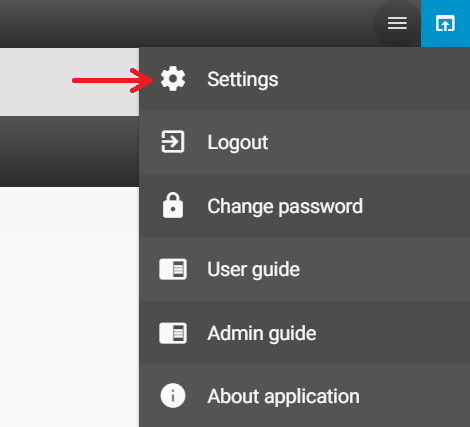
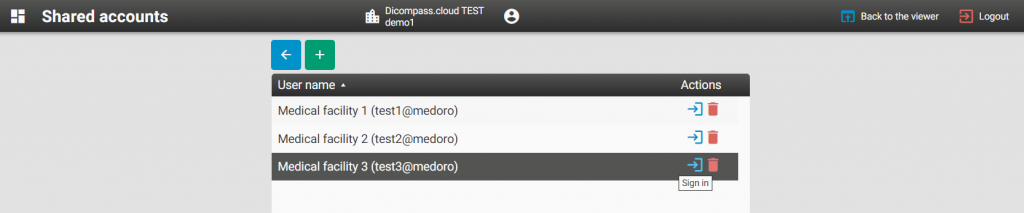
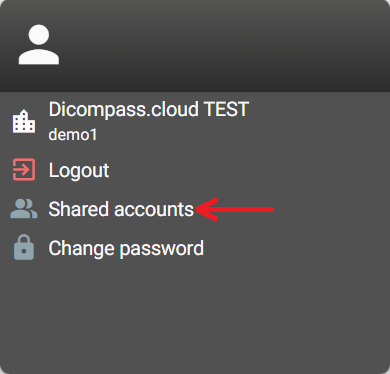
  • Support for shared user accounts in Dicompass Cloud – This new feature allows users who, for example, evaluate radiology examinations for multiple healthcare facilities can easily switch between their Dicompass Cloud accounts for those healthcare facilities. By Opening the Shared Accounts tool in the browser settings, you can choose a target cloud account and work uninterrupted “on another workstation”. To create shared accounts in the Dicompass Cloud, you must enter your login details by adding them to the DICOM browser configuration. After that, login details for specific access to the target cloud account will no longer be required and the user only needs one secure login to their Dicompass Cloud account.
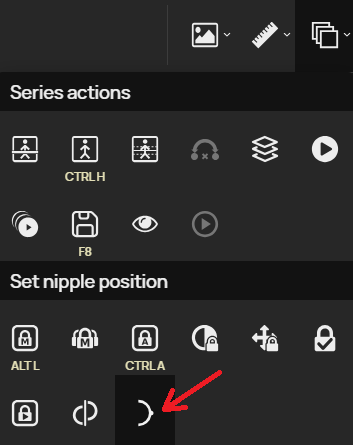
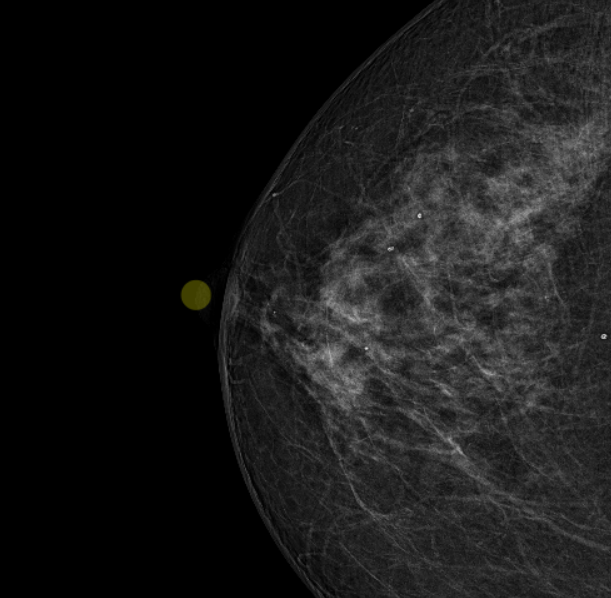
  • Manual Nipple Position Tool – The “Set Nipple Position” tool allows the user to manually adjust the position of the nipple in the image if the nipple localization was incorrectly detected by the viewer. After selecting the “Set Nipple Position” tool, click on the correct nipple location, the yellow highlight will move and then the paired nipples will be repositioned according to the newly selected position.
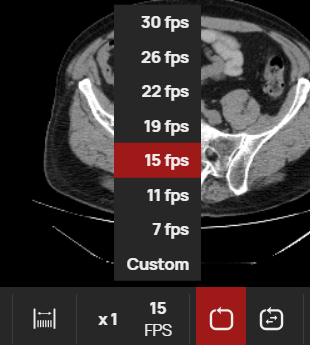
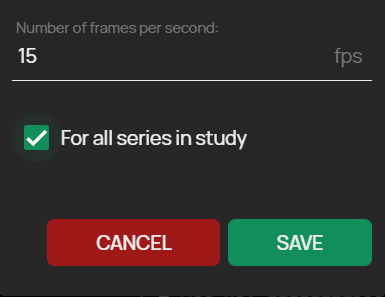
  • Set the playback speed for all players in a given study – This tool makes working with the DICOM viewer player faster and easier. If you have more than one video/image series displayed in a screen layout, this version of DPGW allows you to set a single playback speed for all layout windows by specifying a “Custom” speed.
  • Waveform multiplex switching – If the ECG modality contains a multiplexer, i.e. multiple ECG signals in one study, this function can be used to select the requested active group of ECG signals
  • Bug Reporting – In case the system is acting in a non-standard way, it is possible to use the “Bug Reporting” tool to capture the current state of the system in a log file with the necessary information for the manufacturer’s support team. This tool is located in the bottom right corner of the screen.
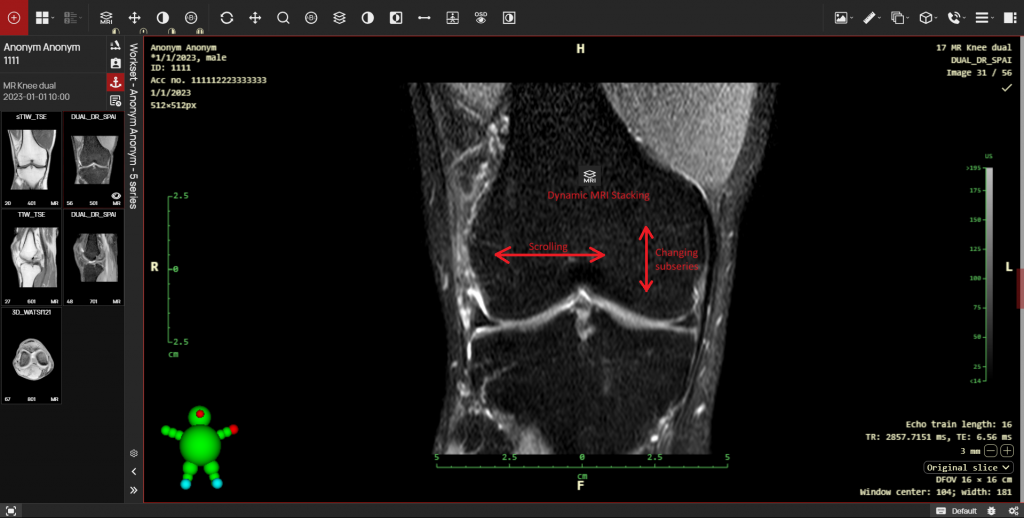
  • Dynamic MRI Stacking – This tool is used for scrolling and switching subseries of MRI series with the selected mouse button and supplements the possible series scrolling with the mouse wheel or with the arrow keys and the “Split Series” tool.
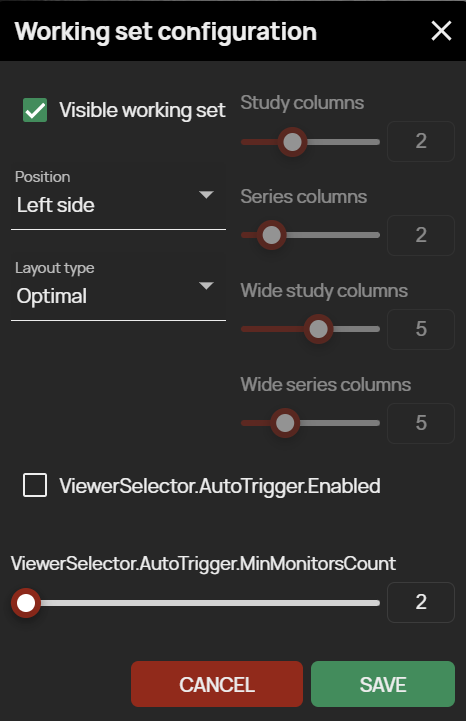
  • Expanded workset configuration options – Now you can use the workset configuration to select the number of columns for displaying thumbnails in the workset and choose how to drag and drop the selected series into panels using widget or by dragging and dropping into a specific panel
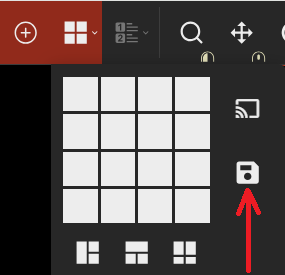
  • Save current panel layout – Use this tool to save the currently selected panel layout. When the study is reopened, the panel layout will match the redefined layout selected during saving, in case the hanging protocol is not applied. This tool has replaced the “Save viewer state” function.
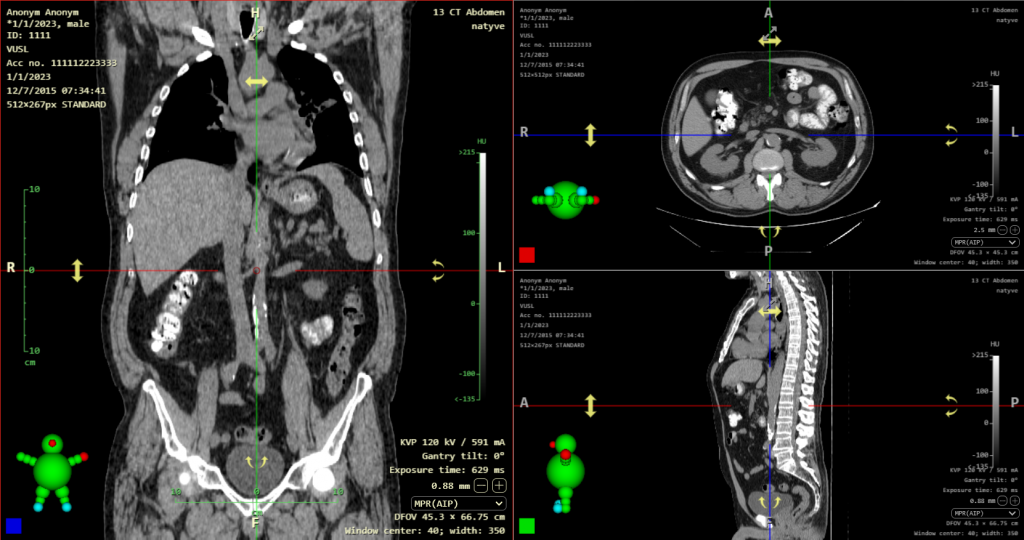
  • Hiding the crossing of the localization lines – Now in this version, the circle around the crossing of the localization lines is hidden, where they will no longer block the diagnostics in the MPR view after moving in the volume using the crossing of the localization lines or the 3D cursor.
  • Automatically selected default tool when changing modality – In case you have set default tools for each modality and the panels display examinations of these modalities, the default tools are automatically switched when you switch to the active panel with a different modality, according to the set default tools of the modality.
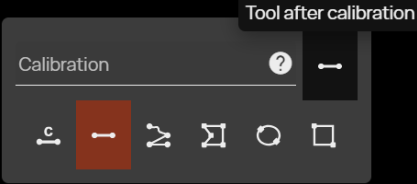
  • Option to select tool after distance calibration – In the table for entering values displayed by the “Calibration” tool, the function “Tool after calibration” has been added. By selecting this new function, it is possible to select the tool that will be applied to the mouse button after calibrating the distance in the image.

Release information

  • DPGW 1.8.05-REL (4. September 2023)
  • DPGW 1.8.06-REL (5. September 2023)
  • DPGW 1.8.07-REL (8. September 2023)
  • DPGW 1.8.08-REL (13. September 2023)
  • DPGW 1.8.09-REL (18. September 2023)
  • DPGW 1.8.10-REL (20. September 2023)
  • DPGW 1.8.11-REL (21. September 2023)
  • DPGW 1.8.12-REL (22. September 2023)
  • DPGW 1.8.15-REL (9. October 2023)
  • DPGW 1.8.16-REL (12. October 2023)
  • DPGW 1.8.17-REL (24. October 2023)
  • DPGW 1.8.18-REL (2. November 2023)
  • DPGW 1.8.19-REL (3. November 2023)
  • DPGW 1.8.20-REL (10. November 2023)
  • DPGW 1.8.21-REL (16. November 2023)
  • DPGW 1.8.22-REL (20. November 2023)
  • DPGW 1.8.23-REL (23. November 2023)
  • DPGW 1.8.24-REL (1. December 2023)
  • DPGW 1.8.25-REL (4. December 2023)
  • DPGW 1.8.26-REL (7. December 2023)
  • DPGW 1.8.27-REL (20. December 2023)
  • DPGW 1.8.28-REL (11. January 2024)
  • DPGW 1.8.29-REL (15. January 2024)
  • DPGW 1.8.30-REL (19. January 2024)
  • DPGW 1.8.31-REL (22. January 2024)
  • DPGW 1.8.32-REL (23. January 2024)
  • DPGW 1.8.33-REL (24. January 2024)
  • DPGW 1.8.34-REL (29. January 2024)
  • DPGW 1.8.35-REL (15. February 2024)
  • DPGW 1.8.36-REL (20. February 2024)
  • DPGW 1.8.37-REL (20. February 2024)
  • DPGW 1.8.38-REL (23. February 2024)
  • DPGW 1.8.39-REL (5. March 2024)
  • DPGW 1.8.41-REL (18. March 2024)
  • DPGW 1.8.42-REL (28. March 2024)
  • DPGW 1.8.43-REL (3. April 2024)
  • DPGW 1.8.44-REL (22. April 2024)
  • DPGW 1.8.45-REL (23. April 2024)
  • DPGW 1.8.46-REL (26. April 2024)
  • DPGW 1.8.48-REL (7. May 2024)
  • DPGW 1.8.49-REL (16. May 2024)