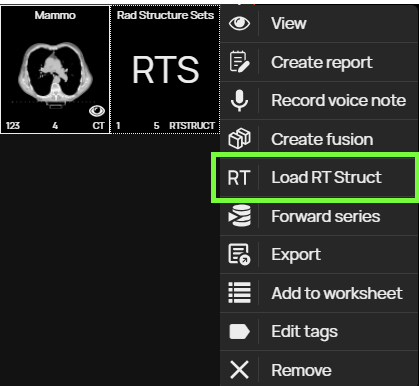
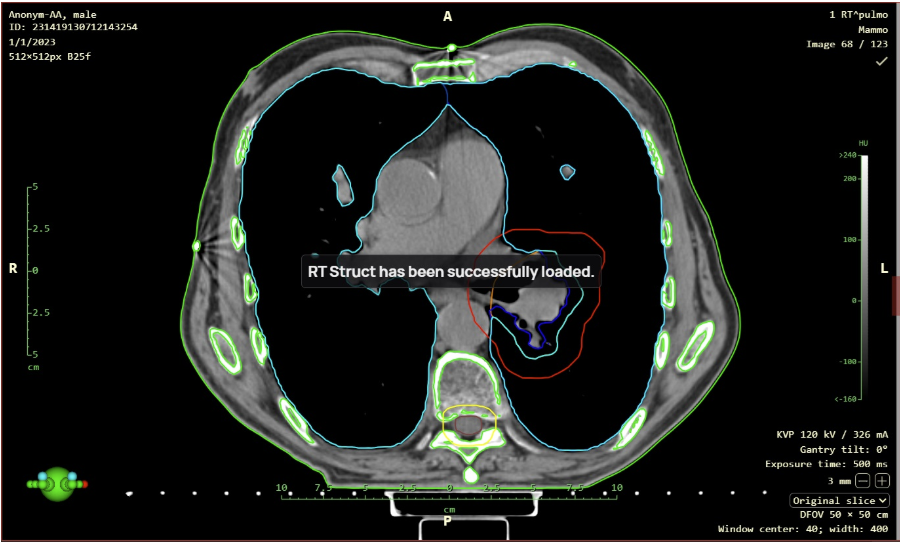
Support for RTSTRUCT display with the “Load RT Struct” function, it is now possible to display Radiotherapy Structure (RTS) modality data, for example, a radiotherapy plan over a series of CT modality images. This function is called up by right-clicking on the RTS data displayed in the working set of images to bring up the context menu and then selecting the “Load RT Struct” action.
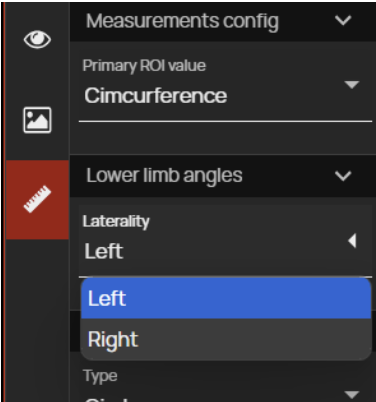
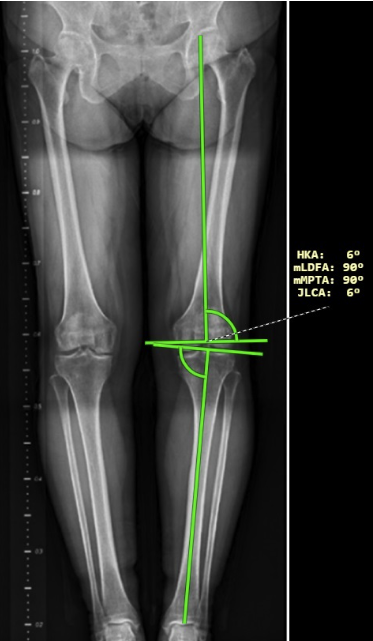
Lower limb angle measurements have been modified in this version of the DICOM viewer and now also show laterality angles. The laterality of the angles can be determined using the right sidebar in the “Measurement toolset”, drop-down menu ‘Laterality’ in the “Lower limb angles” tab. After measuring the lower limb angles, the following angles are displayed:
HKA – hip-knee-ankle angle
mLDFA – mechanical lateral distal femoral angle
mPTA – medial proximal tibial angle
JLCA – joint line convergence angle
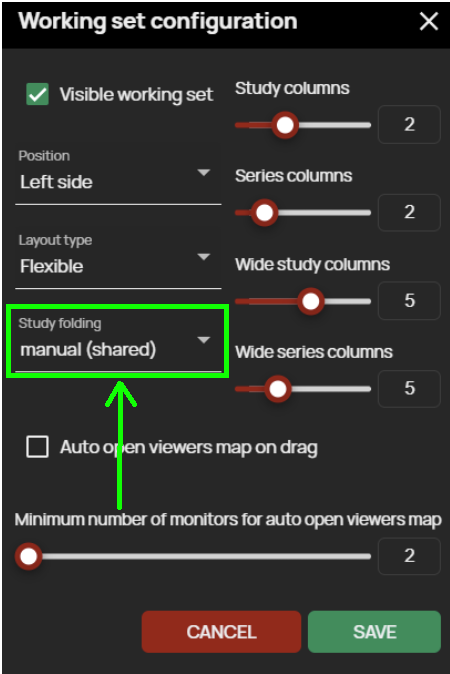
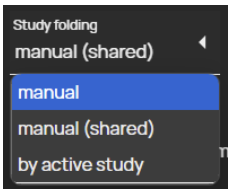
Automatic study folding is used to automatically fold multiple open studies in the “Viewer working set” in one window. The method of automatic folding of the studies can be selected using the menu that is called up by clicking on the “ Study folding ” field in the “ Working set configuration ”. Possible ways of folding studies:
Manual – unpacking/packing of the study in the “ Viewer working set” is possible only by selecting the action “ Expand/collapse” from the “Floating panel of the viewer working set” or from the optional field for adding an action located to the right of the study information in the “ Viewer working set”
Manual (shared) – this setting is similar to the previous “Manual” setting, but in the case of a multi-monitor station, unpacking/packing will be applied to all “Viewer working sets” of all monitors
By active study – only the study that is displayed in the “Image Data Display Window” will be expanded and all others will be automatically collapsed
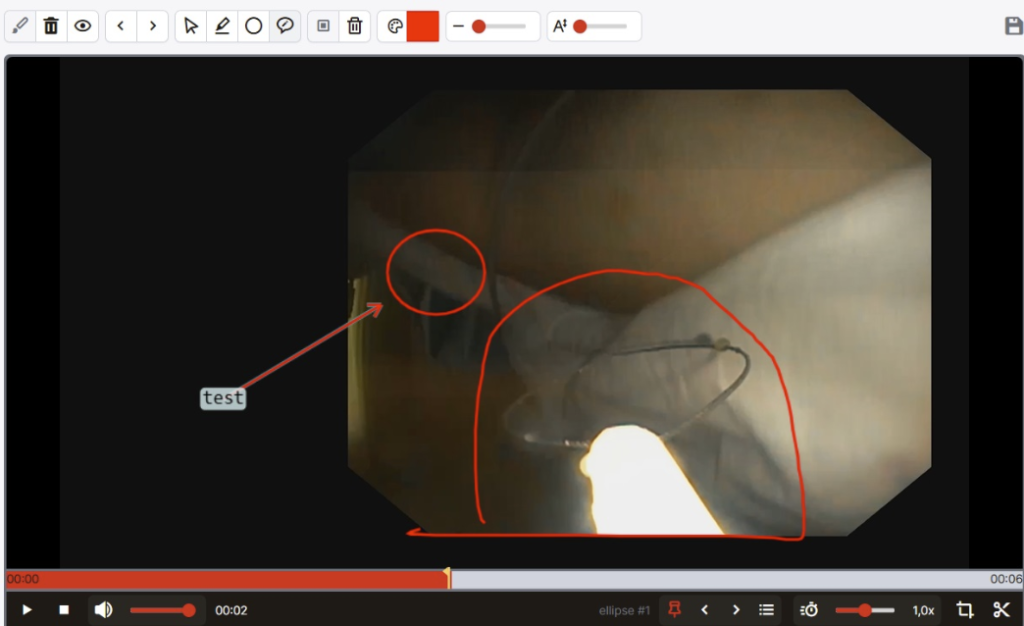
Electronic pencil this digitizing tool is used to draw objects into the edited image or video, namely a free drawing, ellipse or arrow with a note.
Support for HP rotation in case of multiple Hanging Protocols set up, e.g. commonly for mammography images, it is now possible to loop through the preset HPs within an HP group without switching to the next HP group, or to loop through HP groups using the “HP loop/HP stage loop” tool or keyboard shortcut. This function can be found in the right sidebar of the “Display toolset”.
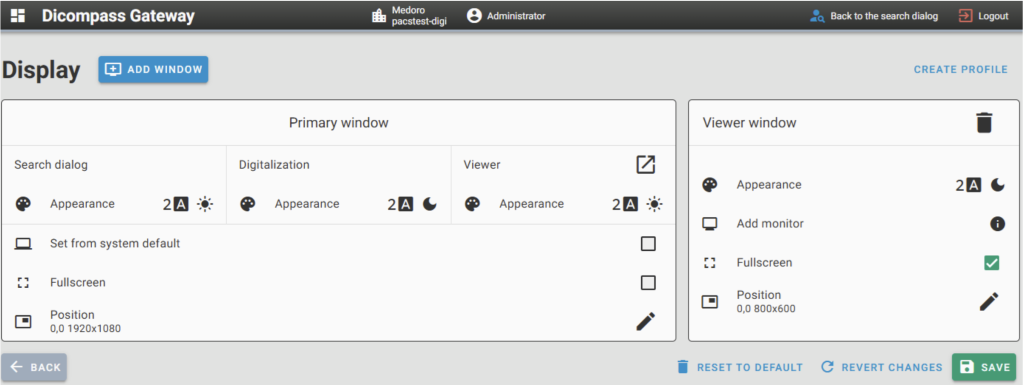
New configuration dialog for setting up monitors In this version of the product, the configuration tool for customizing the system UI view and managing connected monitors has been modified.